A shake. A light.
Toggle the flashlight with a quick movement, or use the large tap button in the app.
A little movement. A little light.
Turn your Android flashlight on or off with a shake. Prefer a tap? There’s a simple button for that, too.
Created by Sanjid Hossain
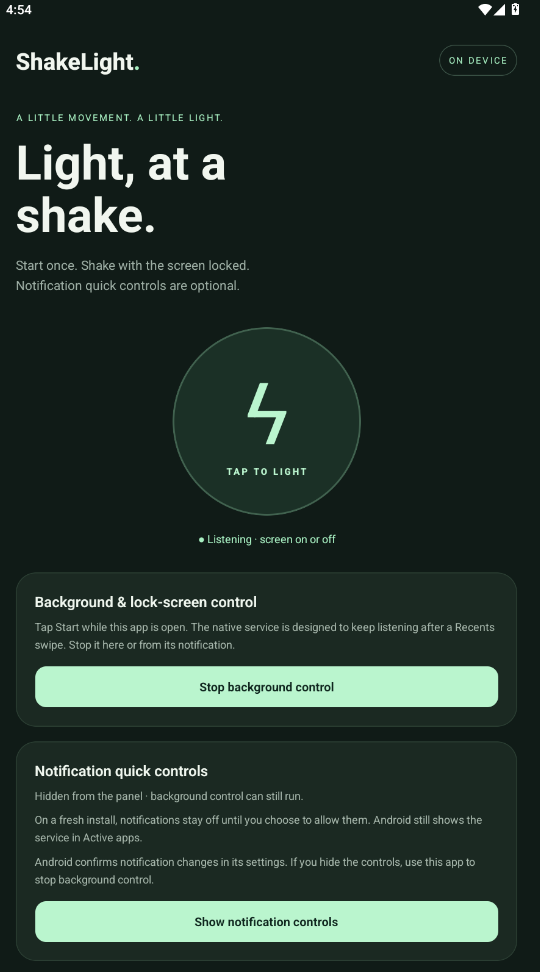
THE APP, JUST AS YOU’LL SEE IT.
Toggle the flashlight with a quick movement, or use the large tap button in the app.
Start background listening from the app for shake control with the screen on or locked.
Choose whether you want notification quick controls. You can stop listening from inside the app.
FROM DOWNLOAD TO FIRST SHAKE
This download is an Android APK. You install it directly on your phone.
Open this page on your Android phone and tap Download for Android.
Open the downloaded file. If Android asks, allow your browser or file manager to install this app, then tap Install.
Open ShakeLight and start background control. Shake to toggle the flashlight. Use Stop in the app when you’re finished.
GOOD TO KNOW
The app includes a background service designed for screen-off shake control. Start it while the app is open. Behavior depends on your Android version, device and battery settings; lock-screen and swipe-away behavior has not been verified across physical devices.
Version 1.1.1 lets you start listening without requiring notification permission. Notification quick controls are optional. Android may still display its own background-service indicators.
This release supports Android 7.0 and newer on ARM64 and ARMv7 devices. It is an Android app, so this APK cannot be installed on an iPhone.
The latest release will be available on this page. When a newer version is published, download and install it over your existing copy.
Notification controls are now optional. Starting background listening no longer requests or requires notification permission. Show or hide controls through the app and Android’s notification settings.
Package: com.shakelight.app
Android version code: 4
File: ShakeLight-v1.1.1.apk
TRY SOMETHING I BUILT